How to download YouTube Shorts on PC
Updated October 7, 2026 · tested with version 2.0.0
Paste a youtube.com/shorts/… link into Top Video Downloader and the Short saves as an MP4, with no YouTube sign-in. Qualities are labeled by frame height, so a Full HD Short (1080×1920) shows as “1920p” and costs 1 credit. Free covers versions up to 720 pixels tall, which means 360×640, plus MP3 audio.
- YouTube sign-in
- Not needed for public Shorts
- Best quality
- Usually 1080×1920, listed as “1920p (2K)”, 1 credit
- Free
- 3 trial downloads, then 10 a day: video up to 360×640, or audio
- Formats
- MP4 (H.264 + AAC); audio as MP3, M4A, Opus, FLAC or WAV
- In bulk
- A channel's Shorts tab opens as a list of up to 1000 videos
- Runs on
- Windows 10/11, macOS on Apple Silicon, Linux x86-64
Why a vertical Short shows up as “1920p”
The app labels each quality by frame height in pixels. A regular landscape Full HD video is 1920×1080, height 1080, hence “1080p”. A Short is vertical, so its Full HD version is 1080×1920 with a height of 1920. Instead of the usual “1080p” you'll see “1920p (2K)”. The 2K tag is added automatically from the height; the file itself is plain vertical Full HD.
That also sets where the free plan stops. It allows video up to 720 pixels tall, and for a vertical video the closest version under that line is 360×640 (“640p”). The 720×1280 (“1280p”) and 1080×1920 versions cost 1 credit each, like any video above 720p. Audio only is free within the same 10 downloads a day.
How to download a YouTube Short in 4 steps
- 1
Copy the link: Share → Copy link in the YouTube app, or the
youtube.com/shorts/…address in your browser. You can leave the?si=…tail on it. - 2
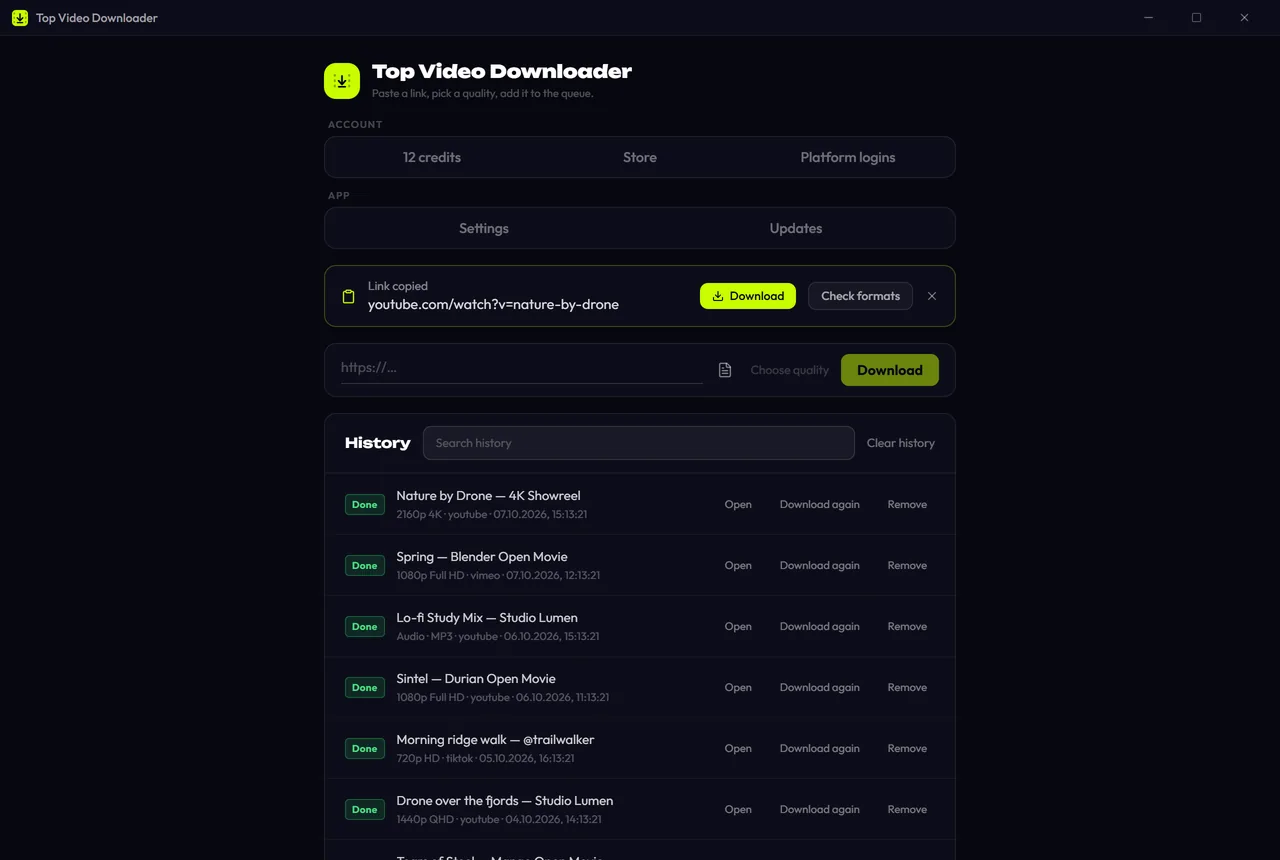
Switch back to Top Video Downloader. With “Offer links I copy” on, a “Link copied” banner appears with Download and Check formats buttons. Otherwise paste the link into the address bar and click Check formats.
- 3
Pick a row: “1920p (2K)” for Full HD, “640p” for the free version, or “Audio only” for just the sound.
- 4
Click Add to queue. A Short takes seconds, then opens with the Open button.
Download Top Video Downloader
Free: 3 downloads without an account, then 10 a day up to 720p, no ads. 4K and unlimited downloads come with a subscription, a lifetime plan or credits.
Top Video Downloader is a desktop app
It runs on Windows, macOS and Linux. Send the link to yourself to open it on your computer, or join the waitlist for a phone version.
Which Shorts links work
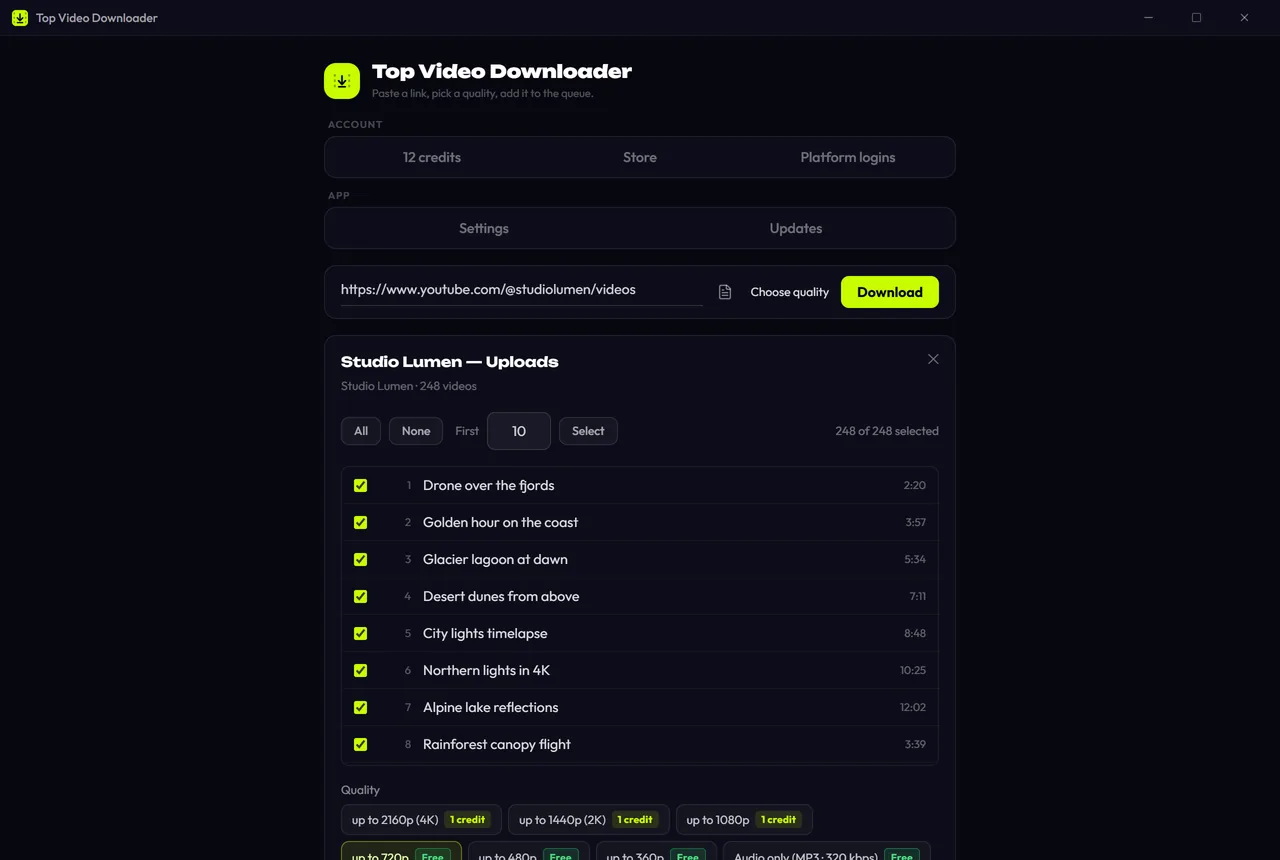
youtube.com/shorts/ID: one Short.youtube.com/watch?v=IDwith the same ID works too.youtube.com/shorts/ID?si=…: the link the YouTube app's Share button gives you.youtube.com/@channel/shorts: all of a channel's Shorts as a list. Choose All, None or First N (10 by default) and one quality ceiling for the lot; see playlists and channels.youtube.com/@channel: the whole channel. Shorts join regular videos and live streams in one list, each tagged with its tab.
YouTube Shorts quality and file size
| Row in the list | Frame | File for a 16-second Short | Plan |
|---|---|---|---|
| 1920p (2K) | 1080×1920, H.264 | ≈7.1 MB | 1 credit |
| 1280p | 720×1280, H.264 | ≈4 MB | 1 credit |
| 854p | 480×854, H.264 | ≈2.1 MB | 1 credit |
| 640p | 360×640, H.264 | ≈1.3 MB | Free |
| Audio only | Opus at ≈130 kbps at the source | ≈0.3 MB | Free |
For MP4 the app picks H.264 video with AAC audio, so the file plays on a TV, in an editor or in a chat app without conversion. If you grab a lot of Full HD Shorts, an unlimited subscription works out cheaper than a credit per video.
YouTube Short not downloading? What to check
- The file is only 360×640. That's the free plan's limit for vertical video, explained above. Pick “1920p (2K)” for 1 credit, or subscribe.
- Sign-in required. The Short is age-restricted or private. Open Platform logins → YouTube → Log in; the session stays encrypted on your computer only.
- Unavailable. The uploader deleted or hid the Short.
- “Today's free downloads are used up”. When you download a list, the app stops and asks before using credits; it never spends them on its own. The counter resets at midnight UTC.
Shorts are other people's work. Save them for your own use where you have the right to, and don't re-upload without the creator's permission. More in is it legal to download videos.
YouTube Shorts download FAQ
Will a downloaded Short have a watermark?
The app saves the same stream YouTube plays, and YouTube doesn't stamp its logo into it. Anything drawn into the frame itself, such as captions, stickers or another app's logo in a re-upload, stays. For TikToks without the TikTok logo, see the TikTok guide.
Why is my free Short only 360×640?
The free plan stops at a frame height of 720 pixels. On vertical video the height is the long side, so only the 360×640 version fits. The 720×1280 and 1080×1920 versions cost 1 credit each, and a subscription makes them unlimited.
Can I download a YouTube Short as MP3?
Yes. Choose “Audio only” and the sound is saved in the format set in Settings, MP3 by default. It's free within your 10 daily downloads. The Short's thumbnail and title are embedded in the file unless you switch embedding off.
How do I download all Shorts from a channel?
Paste youtube.com/@channel/shorts and click Check formats. A list of up to 1000 videos opens: tick the ones you want or use First N, pick one quality and click Add to queue. One to five download at once, which you can change in the Network settings.
Can I download Shorts on my phone?
Top Video Downloader is a desktop app for Windows 10/11, macOS on Apple Silicon and Linux x86-64. Download the Short on your PC and move the file to your phone. What works straight from a phone is on the downloading on a phone page.
Read next
- How to download YouTube videos on your PCCopy the video link, paste it into Top Video Downloader, click Check formats and pick a quality. The MP4 lands on your disk. Public videos need no YouTube sign-in. A free account gives you 10 downloads a day up to 720p, MP3 audio included, while 1080p, 1440p and 4K cost 1 credit per video.
- How to download TikTok videos without a watermark on PCTop Video Downloader saves TikTok videos to your PC from a link, and it takes the stream TikTok's own player uses, not the Save-video file where TikTok stamps its logo and the creator's username. Public videos need no TikTok login. Audio as MP3 is free; on the free plan a vertical TikTok video costs 1 credit.
- How to download Instagram Reels and videos on PCTop Video Downloader saves Instagram Reels and video posts to your PC as MP4, and version 2.0 can grab a whole profile, up to 300 videos. Instagram shows most videos only to signed-in users, so you sign in to Instagram once inside the app. That login stays encrypted on your computer and never reaches our servers.
- How to convert YouTube to MP3 on your PCTop Video Downloader pulls the audio out of any YouTube video and saves it as MP3, or as M4A, Opus, FLAC or WAV. On a free account audio has no quality cap and counts toward your 10 daily downloads. One catch: YouTube's own audio is about 130 kbps, so a 320 kbps MP3 is bigger, not better.
- Download whole playlists, channels and profilesTop Video Downloader 2.0 downloads whole playlists, YouTube channels and TikTok or Instagram profiles to your computer. Paste the link and the app lists up to 1,000 videos; tick all, none or the first N, set one quality cap, and each video counts as one download. Free accounts get 10 a day up to 720p.
- How to download videos on your phoneTop Video Downloader is a desktop app for Windows, macOS on Apple Silicon and Linux; there is no Android or iPhone version today. To get a video onto your phone, send the link to yourself, download it on a computer and move the file over. Join the waitlist to hear when a phone version ships.