How to download live stream recordings (VODs)
Updated October 7, 2026 · tested with version 2.0.0
Top Video Downloader downloads recordings of streams that have ended: past YouTube live streams, Twitch VODs and highlights, VK Video and Rutube recordings. Wait for the broadcast to finish, copy the recording link and paste it into the app. We haven't tested capturing a stream while it's still live, so this guide covers finished recordings only.
- What works
- Recordings of finished streams: YouTube, Twitch, VK Video, Rutube
- Live right now
- Not tested and not promised; wait until it ends
- Scheduled stream
- Can't be downloaded before it starts; the app doesn't wait
- Long recordings
- Pause and resume from the same spot; save one part by time or chapter
- Free
- Same as any video: 10 downloads a day up to 720p
- Runs on
- Windows 10/11, macOS on Apple Silicon, Linux x86-64
Can you download a live stream while it's live?
The honest answer on live streams
The app has no stream-recording mode. It doesn't wait for a scheduled stream to start, and it doesn't capture a stream from the beginning. We haven't tested what a link to a stream that's live right now does, so don't count on it. The reliable path is to wait for the broadcast to end and download the recording.
YouTube has one more quirk. Right after a long stream ends, the recording is processed for a while, and during that time YouTube only serves roughly the last 2 hours. If your file comes out shorter than the stream, wait until the video shows a normal duration and download it again.
How to download a past live stream
- 1
Find the recording: the channel's Live tab on YouTube (
youtube.com/@channel/streams), or Videos → Past broadcasts on Twitch. - 2
Copy the recording link, paste it into Top Video Downloader and click Check formats.
- 3
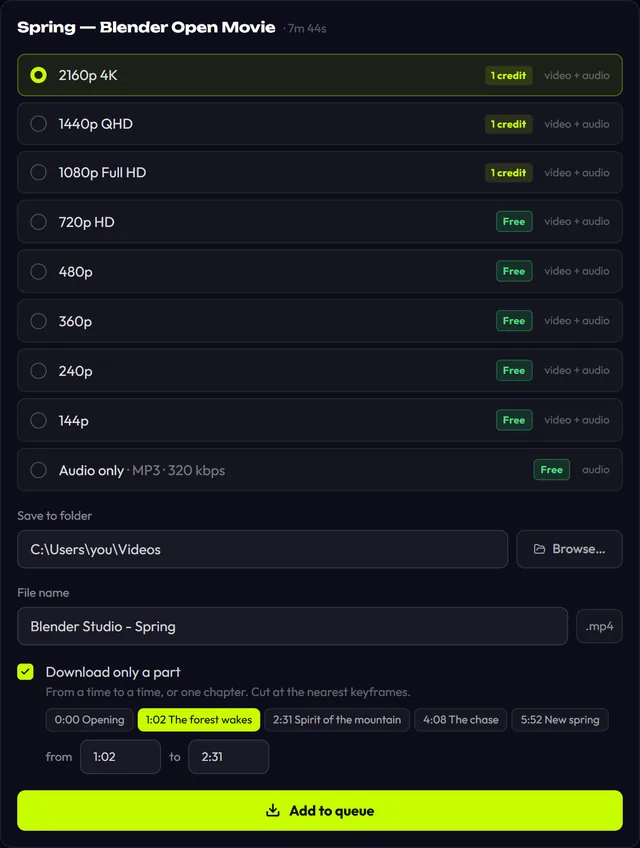
Pick a quality. Up to 720p is free; higher costs 1 credit or comes with a subscription.
- 4
Don't need the whole stream? Tick “Download only a part” and enter from and to times (say
1:02:03and1:45:00), or click a chapter if the streamer added them. - 5
Click Add to queue. A long recording can be paused and resumed from the same spot.
Download Top Video Downloader
Free: 3 downloads without an account, then 10 a day up to 720p, no ads. 4K and unlimited downloads come with a subscription, a lifetime plan or credits.
Top Video Downloader is a desktop app
It runs on Windows, macOS and Linux. Send the link to yourself to open it on your computer, or join the waitlist for a phone version.
Which livestream VOD links work
| Platform | Recording link | More |
|---|---|---|
| YouTube | youtube.com/watch?v=… or youtube.com/live/… once the stream ends; youtube.com/@channel/streams lists every past stream | YouTube |
| Twitch | twitch.tv/videos/…: past broadcasts and highlights | Twitch, Twitch clips |
| VK Video | vkvideo.ru/video-…: a saved stream recording | VK |
| Rutube | rutube.ru/video/…: a stream recording | Rutube |
| Kick | Clips are part of our daily check; full Kick VODs we haven't confirmed | Platform status |
How big is a stream recording?
| Length | 720p60 | 1080p60 | Audio only |
|---|---|---|---|
| 1 hour | ≈0.9 GB | ≈1.5 GB | ≈58 MB |
| 3 hours | ≈2.7 GB | ≈4.6 GB | ≈175 MB |
A multi-hour recording takes a while, and the app is built for that. Pause really stops the download, and Resume continues from the same byte. If your PC shuts down or the app closes mid-download, the next launch offers to resume the interrupted downloads and returns any held credits. A credit is only charged for a download that succeeds.
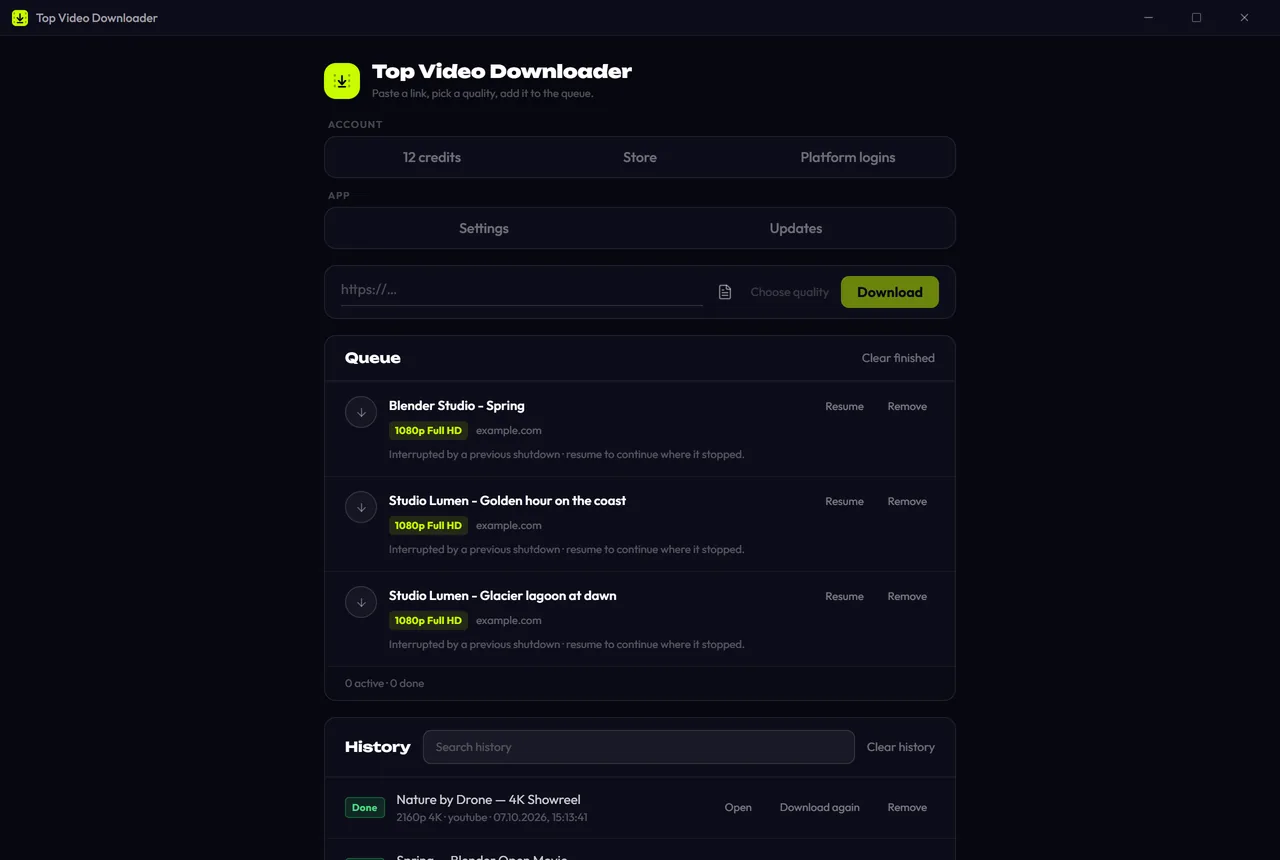
A time-range clip can end anywhere within the first 24 hours of a recording. Cuts land on the nearest keyframes with no re-encoding, so the edges can shift by a second or two. The time range is added to the file name. See clips for more.
Stream recording won't download? Common causes
- Error on a scheduled stream. It hasn't started yet, and the app can't wait for it. Come back after the broadcast ends.
- The file is shorter than the stream. YouTube is still processing it and only serves the last ~2 hours. Wait and download again.
- Sign-in required. A members-only YouTube stream or a subscriber-only Twitch VOD. Sign in under Platform logins; the session stays encrypted on your computer.
- Unavailable. The streamer deleted the recording, or the platform removed it on schedule: Twitch keeps past broadcasts only for a limited time, so grab them early.
- Geo-restricted. The recording is blocked in your country. You can set your own proxy in Settings → Network.
Stream recordings belong to their creators. Save what you have the right to keep for yourself, and don't republish other people's streams without permission. More in is it legal to download videos.
Live stream download FAQ
Can I record a live stream while it's still live?
Don't count on it. The app has no live-recording mode: it doesn't wait for a stream to start or capture it from the beginning, and we haven't tested downloading a stream in progress. Wait for it to end and download the recording from the YouTube channel or the Twitch Videos section.
How do I download a Twitch VOD?
Open the channel's Videos section, pick a past broadcast or highlight and copy its twitch.tv/videos/… link. Paste it into the app and choose a quality. Subscriber-only VODs need a Twitch sign-in under Platform logins. More in the Twitch guide.
How do I download just part of a long stream?
In the quality window tick “Download only a part” and enter a start and end as 90, 1:30 or 1:02:03, or click a chapter. Only that stretch downloads, without re-encoding. The clip can end no later than 24 hours into the recording.
How much space does a 3-hour stream take?
By our estimate, about 4.6 GB at 1080p60 and 2.7 GB at 720p60; audio only is about 175 MB. That's worked out from our YouTube test video's bitrates, and real recordings can be lighter or heavier. Short on space? Save a clip or just the audio.
What if the download gets interrupted?
You can pause a download and resume it from the same byte. If the app closes or your PC shuts down, the next launch offers to resume interrupted downloads and returns any held credits. A credit is only charged once a download succeeds.
How much does it cost to download a stream VOD?
The same as any video. A free account gets 10 downloads a day up to 720p, with audio free inside that limit. 1080p and above cost 1 credit per recording, however long it is, or are unlimited with a subscription. Prices are on the pricing page.
Read next
- How to download Twitch VODs and past broadcastsTo download a Twitch VOD, past broadcast or highlight, paste its twitch.tv/videos/… link into Top Video Downloader and pick a quality, usually up to 1080p60, or audio only. No Twitch login is needed except for subscriber-only VODs. Twitch deletes past broadcasts after 7 to 60 days, so save them early. The free plan covers up to 720p.
- How to download Twitch clips on PCTo download a Twitch clip, paste its clips.twitch.tv/… or twitch.tv/channel/clip/… link into Top Video Downloader and pick a quality; you get an MP4. No Twitch login is needed. Paste a channel's clips page instead and version 2.0 lists its top clips of the day, week, month or all time for bulk download.
- How to download YouTube videos on your PCCopy the video link, paste it into Top Video Downloader, click Check formats and pick a quality. The MP4 lands on your disk. Public videos need no YouTube sign-in. A free account gives you 10 downloads a day up to 720p, MP3 audio included, while 1080p, 1440p and 4K cost 1 credit per video.
- Download only part of a videoTop Video Downloader 2.0 can download just part of a video instead of the whole thing. In the quality picker, tick Download only a part, type a start and end time (90, 1:30 or 1:02:03) or click a chapter. Cuts land on the nearest keyframes with no re-encoding, so the edges can shift by a second or two.
- How to download VK videos: 5 ways that work in 2026The easiest way to download VK videos is the free Top Video Downloader app: paste a vk.com, vk.ru or vkvideo.ru link, pick a quality and the video saves as MP4. Public videos, VK clips and playlists need no VK login. The free plan gives 10 downloads a day up to 720p. Four alternatives follow, with their downsides.
- How to download Rutube videos on PCThe simplest way to download Rutube videos is Top Video Downloader: paste a rutube.ru/video/… link, pick a quality, and the stream is joined into one MP4 file. No Rutube account is needed. The free plan gives 10 downloads a day up to 720p, and in version 2.0 channels, playlists and series open as lists of up to 1000 videos.