Online video downloader vs desktop app
Updated October 7, 2026 · tested with version 2.0.0
An online downloader is fine for one short clip: nothing to install, and it works on a phone. A desktop app such as Top Video Downloader is better when you want 1080p or 4K with sound, whole playlists, videos behind a login and no ads. Here is how the two compare on quality, safety, privacy, batch downloads and speed.
Online downloader vs desktop app at a glance
| Online site | Desktop app | |
|---|---|---|
| Install | None; works in any browser, including phones | Download and install once |
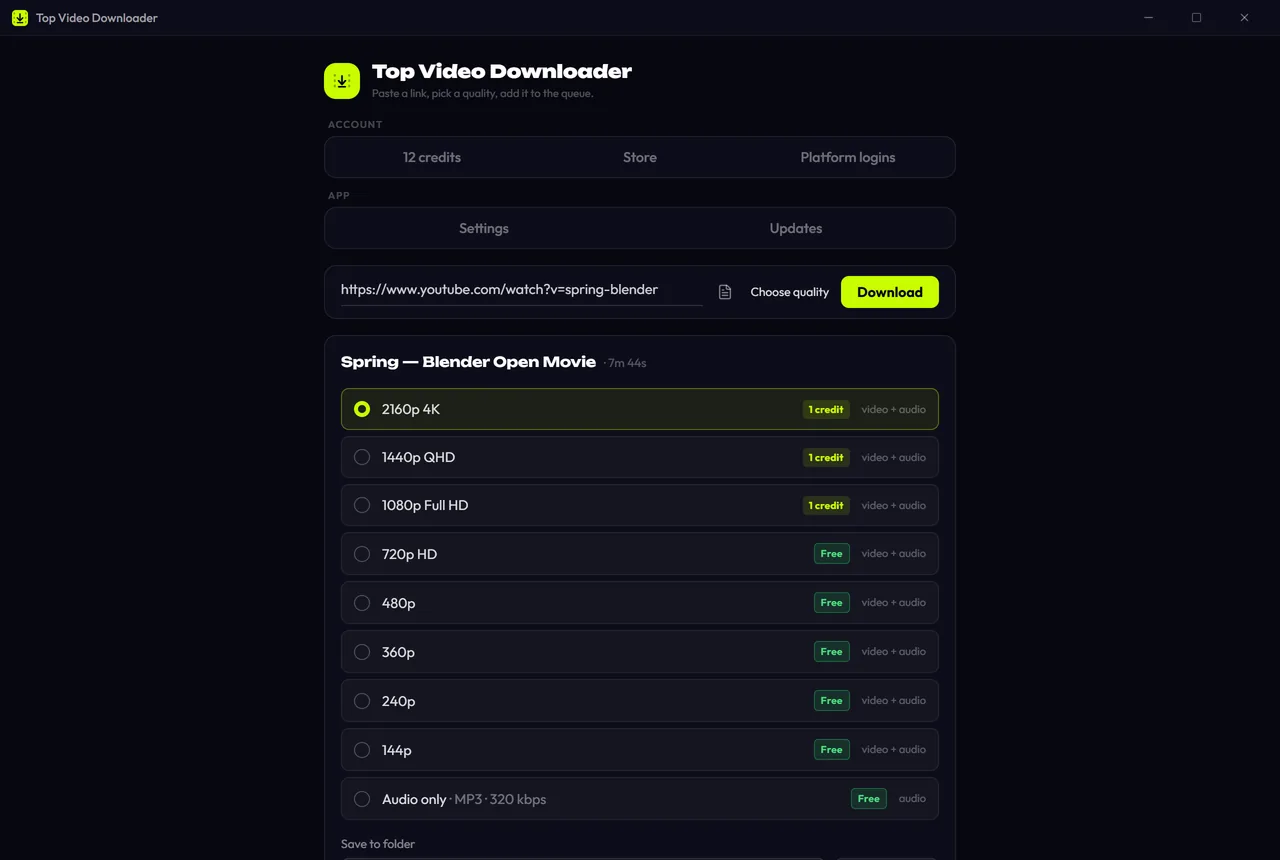
| Quality | Often capped; 1080p+ with sound is not always offered | Whatever the site serves: Top Video Downloader goes up to 4K and beyond where the source has it |
| Ads | Usually: pop-ups, redirects, fake buttons | None in Top Video Downloader |
| Safety | Risk of malicious ads or downloading the wrong file | One installer from the official site, checkable by SHA-256 |
| Privacy | The site operator sees your link and IP | Video goes from the site straight to your PC, no middleman |
| Playlists and channels | Usually one video at a time | Lists of up to 1000 videos, channel subscriptions |
| Videos behind a login | You'd have to hand over your cookies (don't) | Sign in inside the app; cookies encrypted on your PC |
| Price | Usually free, paid for with your attention | Top Video Downloader: 10 videos a day up to 720p free; credits or a subscription above that |
Why online downloaders cap video quality
YouTube and many other platforms serve 1080p and higher as two separate streams: one for picture, one for sound. To get a normal file, the two have to be merged. yt-dlp, the engine behind most downloaders, does this with ffmpeg, and its documentation says plainly that ffmpeg is required to merge separate video and audio.
For an online site that merge is expensive: it has to pull every video to its own server, process it and then hand it to you. So many services offer high resolutions without sound, limit video length, or put 1080p and 4K behind a paid plan. A desktop app does the same work on your own computer. Top Video Downloader ships ffmpeg in the installer, and the site streams straight to you.
Ads and malware: the real risk of online converters
Free sites live on ads, and converter sites often carry the most aggressive ads on the web: a new tab on every click, "Download" buttons that lead to someone else's installer, notification prompts. In March 2025 the FBI's Denver field office warned that free online file converters are increasingly used to spread malware (Malwarebytes summary). The warning focused on document converters, but the pattern is the same: a useful tool as bait.
- The file you get should be video (MP4, MKV) or audio (MP3, M4A). If a site hands you an .exe, .msi, .apk, .scr or an archive, delete it unopened.
- Don't let the site send notifications; that's how the ads follow you later.
- Don't install "codecs" or "players" the site offers for playing your download.
- A downloader that asks you to sign in with your Google account is a reason to close the tab.
Desktop apps carry their own risk: installers can be faked too. Download only from the official site and check the checksum. Our installers aren't code-signed, so Windows shows a SmartScreen warning; the verify page shows how to check the SHA-256, and our guide to safe video downloaders covers the general rules.
Privacy: who sees what you download
An online service receives the link to every video plus your IP address, and the file often passes through its server. What it does with that is up to the operator. In Top Video Downloader the video travels from the site straight to your computer and never touches our server. The server sees your account and balance. Anonymous telemetry, which you can switch off in Settings, never sends links, titles or files. Download history stays on your PC, and links are only kept if you turn that option on.
Playlists, channels and videos behind a login
Online sites almost always handle one video at a time. In Top Video Downloader 2.0 a playlist or channel link opens a list of up to 1000 videos: take all of them, the first N or a hand-picked set, and a subscription downloads new uploads on its own. Instagram, Facebook and X need you to sign in: the app does this in a built-in window, and the cookies are encrypted with AES-256-GCM and never leave your computer. An online service would need your session for that, and you should never give it away.
Download speed: what actually limits it
We won't claim an app is always faster: in both cases speed depends on the source site and your connection. The difference is elsewhere. An online service that merges video has to download it to its own server first, and you wait for that. The app runs up to 5 downloads in parallel, pauses and resumes from the same byte, and offers to resume unfinished downloads after a crash. If you need to spare your bandwidth, you can set a speed limit.
When an online downloader is good enough
- You need one short clip at normal quality and won't do this again.
- You're on a phone: our app is desktop-only, and our mobile page covers what works on phones.
- You're on a work computer where you can't install software.
- You picked an ad-free service: the open-source cobalt, for example, runs without ads or trackers.
When a desktop app is the better choice
- You want 1080p or 4K with picture and sound in one file.
- You download regularly, by playlist or by whole channels.
- The video is only available after signing in.
- You want no ads and no surprise installers.
- You need FLAC or WAV audio, subtitles, a clip of a longer video, or sponsor segments cut out (SponsorBlock).
Download Top Video Downloader
Free: 3 downloads without an account, then 10 a day up to 720p, no ads. 4K and unlimited downloads come with a subscription, a lifetime plan or credits.
Top Video Downloader is a desktop app
It runs on Windows, macOS and Linux. Send the link to yourself to open it on your computer, or join the waitlist for a phone version.
Are online video downloaders safe?
The site itself is rarely the danger; the ads on it are: redirects, fake buttons and offers to install a "player". What you download should be a video or audio file, never an .exe or an archive. In 2025 the FBI warned that free online converters are being used to spread malware.
Why can't online sites download YouTube in 1080p with sound?
YouTube serves 1080p and higher as separate picture and sound streams, which have to be merged with ffmpeg. For an online service that means costly processing on its own server, so high quality often comes without sound or behind a paywall. A desktop app merges the streams on your own computer.
Is there a video downloader for PC without ads?
Top Video Downloader has no ads on any plan and contains no ad code. Free open-source tools such as yt-dlp, Parabolic and Open Video Downloader are ad-free too. Our page on the best video downloaders for PC compares all of them, including where the others beat us.
Can I download videos online on my phone?
Yes. Online sites work in a phone's browser, and for a one-off clip that is the simplest route. Top Video Downloader is desktop-only: Windows, macOS on Apple Silicon, and Linux. Our mobile page explains what works on phones and how to send a link to your computer.
Can Top Video Downloader see which videos I download?
No. Videos travel from the site straight to your computer, bypassing our server. Anonymous telemetry reports technical data such as the platform, quality, outcome, app version and OS, never links, titles or files, and you can switch it off. The server stores your account, balance and devices.
Wherever you download, only take what you have the right to: is it legal to download videos?
Read next
- Best video downloaders for PC in 2026There is no single best video downloader for PC. yt-dlp is free and the most flexible, but it is a command-line tool. 4K Video Downloader Plus is polished, but its free tier is limited. Top Video Downloader 2.0 (our app) wraps yt-dlp in a desktop app: 10 free downloads a day up to 720p, plus playlists and channel subscriptions.
- How to tell a safe video downloader from a malicious oneA safe video downloader comes from its official site, installs only itself, shows no ads or fake buttons, asks for no permissions it doesn't need and publishes checksums you can verify. Most malware around video downloading hides in bundled installers, look-alike download buttons, notification spam and browser extensions with broad permissions.
- How to download 4K videos on your PCPaste the link into Top Video Downloader and pick “2160p (4K)”, which appears whenever the site has the video in 4K. A 4K download costs 1 credit, exactly like 1080p, and is unlimited with a subscription or lifetime license. The free plan stops at 720p. YouTube 4K usually saves as MKV, since YouTube only serves AV1 or VP9.
- Download whole playlists, channels and profilesTop Video Downloader 2.0 downloads whole playlists, YouTube channels and TikTok or Instagram profiles to your computer. Paste the link and the app lists up to 1,000 videos; tick all, none or the first N, set one quality cap, and each video counts as one download. Free accounts get 10 a day up to 720p.
- How to download videos on your phoneTop Video Downloader is a desktop app for Windows, macOS on Apple Silicon and Linux; there is no Android or iPhone version today. To get a video onto your phone, send the link to yourself, download it on a computer and move the file over. Join the waitlist to hear when a phone version ships.
- How to download YouTube videos on your PCCopy the video link, paste it into Top Video Downloader, click Check formats and pick a quality. The MP4 lands on your disk. Public videos need no YouTube sign-in. A free account gives you 10 downloads a day up to 720p, MP3 audio included, while 1080p, 1440p and 4K cost 1 credit per video.